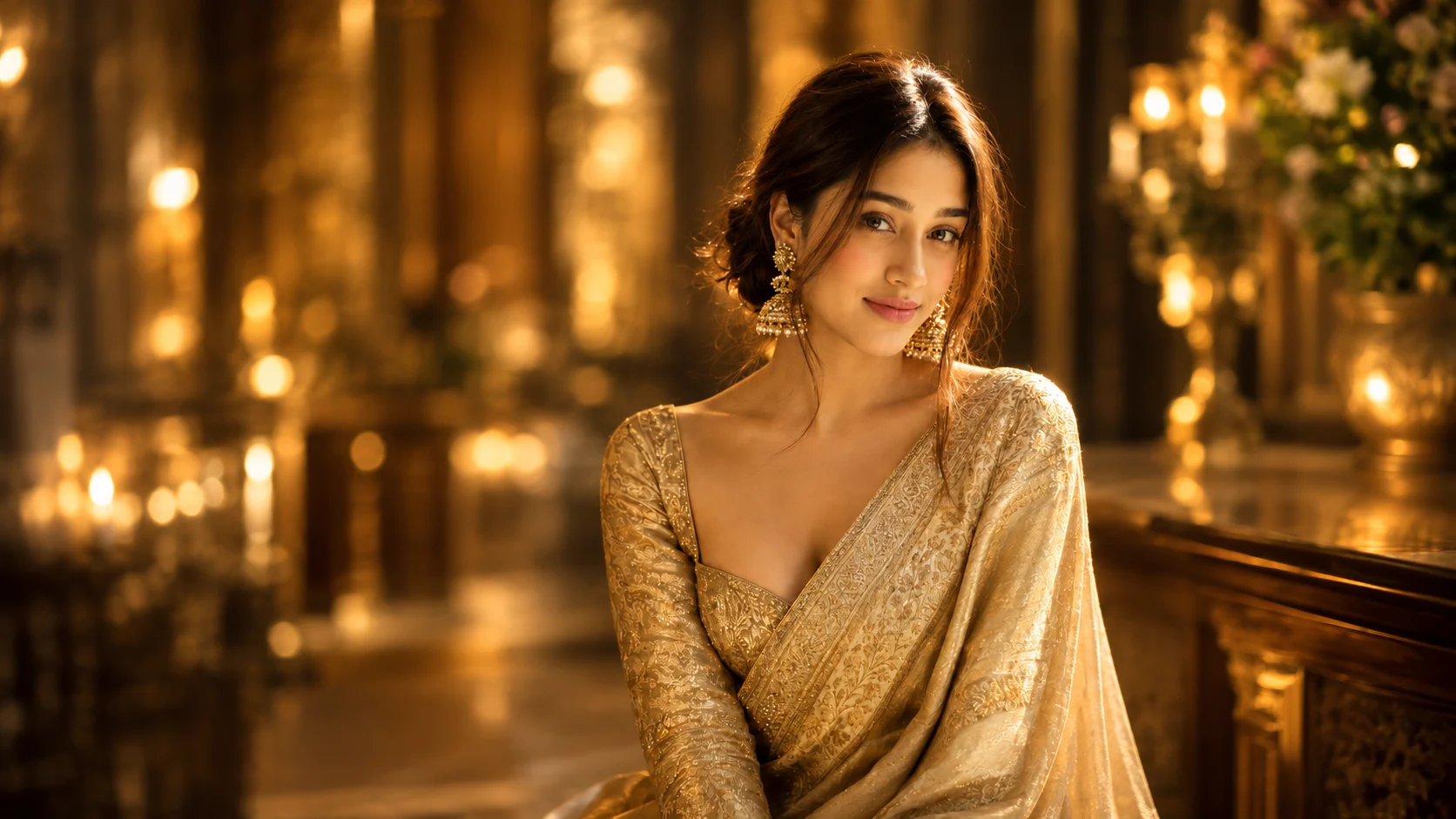
Some AI photo trends are all about fantasy backgrounds or dramatic visual effects. Others stand out because they feel like real photographs. The Motion Blur Portrait AI Photo Trend belongs to the second category.
This style creates a beautiful portrait where your face remains soft and natural while the background and parts of your hair or clothing appear slightly blurred, as if the photo was captured with a slow shutter speed. The result feels artistic, elegant, and surprisingly realistic.
You don't need an expensive DSLR camera or professional editing software to achieve this look. With a clear portrait and a detailed AI prompt, you can recreate this cinematic effect using ChatGPT or Google Gemini.
What is the Motion Blur Portrait AI Trend?
The Motion Blur Portrait AI Trend is a photography-inspired editing style that recreates the look of a long-exposure camera shot.
Instead of keeping every part of the image perfectly sharp, AI adds gentle motion blur around the subject while preserving important facial details. Loose hair strands, glowing skin, soft lighting, and elegant outfits make the portrait feel stylish without looking over-edited.
The final image looks like it was taken during a professional fashion photoshoot rather than created with AI.
Why is This AI Photo Style So Popular?
Most portrait edits focus on adding colorful backgrounds or heavy filters.
This trend takes a different approach. The slight motion blur creates a sense of movement, making the photo feel alive. It gives ordinary portraits a premium, editorial look that is often seen in fashion magazines and luxury photoshoots.
Because the effect is subtle, the image remains natural while still grabbing attention on Instagram, Pinterest, and WhatsApp.
How to Create a Motion Blur Portrait with ChatGPT
Start by selecting a clear portrait where your face is visible.
Upload the photo to ChatGPT and paste a detailed prompt describing the motion blur effect, lighting, outfit, and camera style.
If the AI changes your face too much, simply ask it to preserve your facial features exactly as they appear in the original image.
Create the Same Photo with Google Gemini
Google Gemini can also generate this style.
Upload a high-quality reference image and provide the complete prompt. Original photos usually produce better results than heavily filtered selfies because AI can preserve facial details more accurately.
Motion Blur Portrait AI Prompt
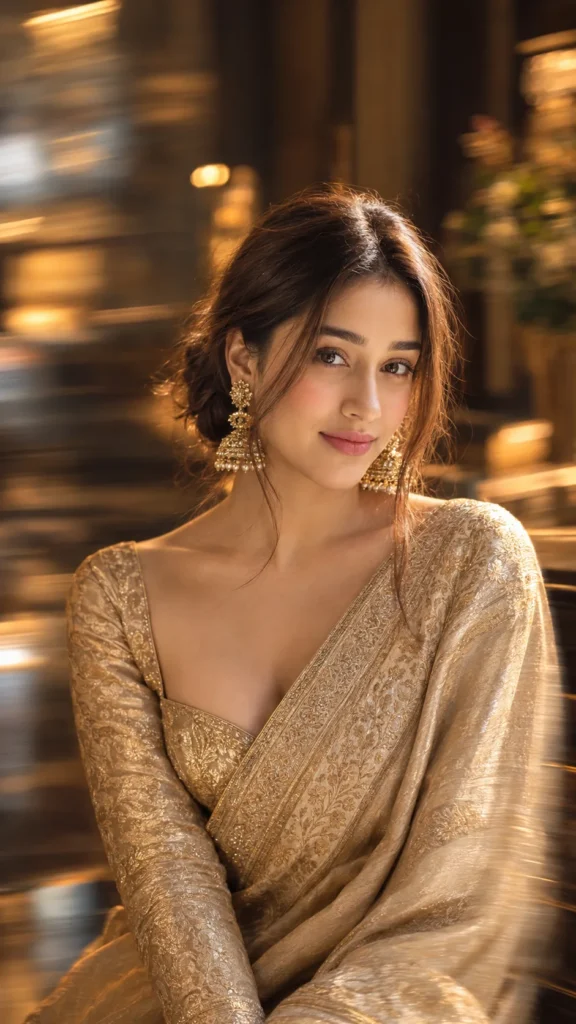
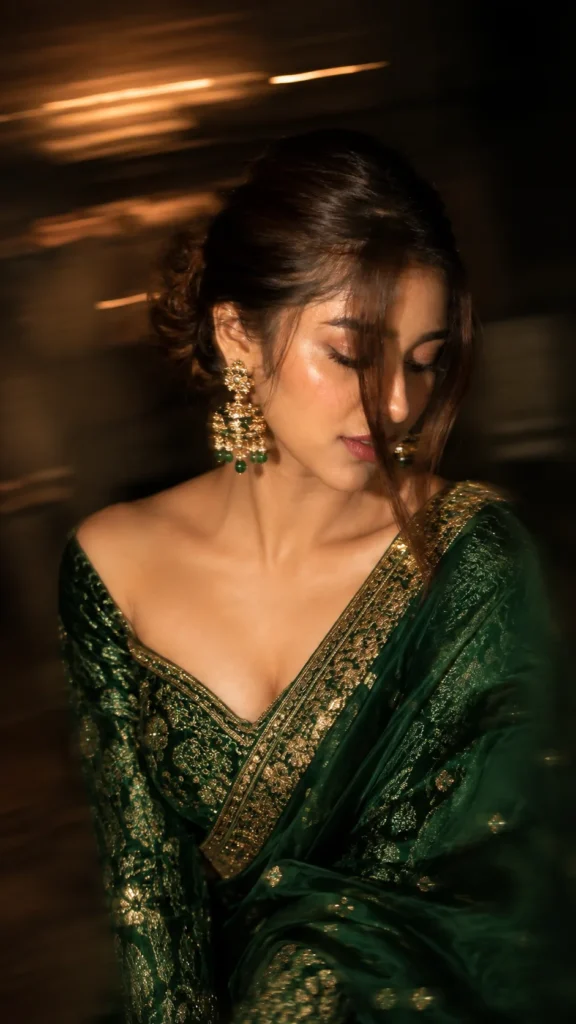
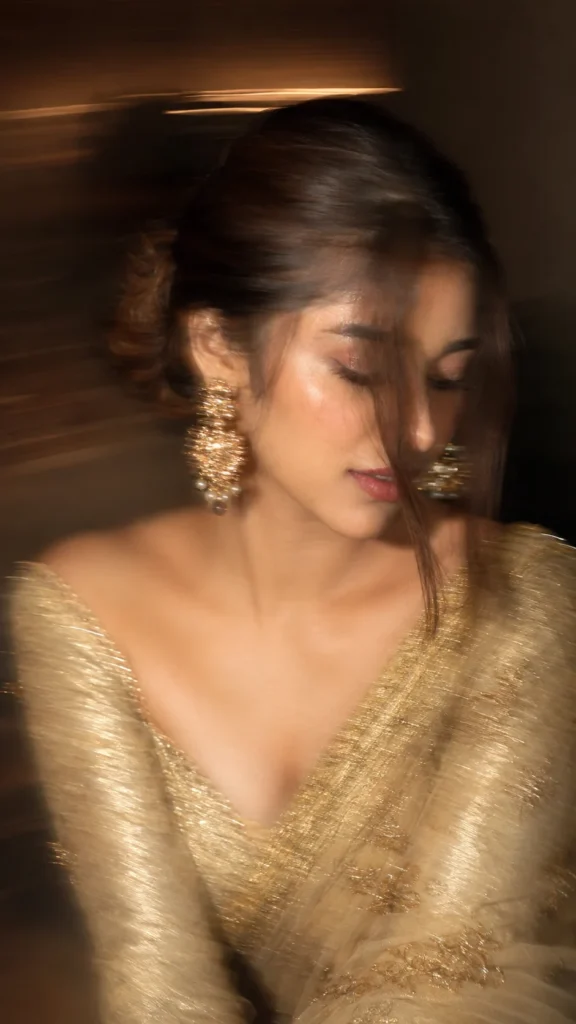
✨ AI PROMPTIntentional artistic motion-blur portrait, shot on a smartphone or long-exposure camera. Not so Extreme close-up of a woman with a loose braided low bun and a long face-framing strand covering half her face.she’s wearing a golden zari work saree with matching full sleeve blouse with sweetheart neck. Looking down and to the side, one eye mostly hidden, lips slightly parted. Large statement gold earrings, bare shoulders, smooth glowing skin, soft peach blush, subtle highlighter, delicate makeup, defined lashes, matte dusty-rose lips with darker liner.Aspect ratio 9:16.
Small Details That Make the Photo Look Better
The beauty of this trend comes from balance.
The motion blur should remain soft and controlled instead of making the entire photo blurry. Your face should stay recognizable while only the surrounding movement creates the artistic effect.
Warm golden lighting, natural makeup, realistic fabric textures, and a relaxed pose make the portrait feel much more authentic than using heavy filters.
Can Anyone Try This Trend?
Absolutely.
This editing style works for both men and women. Traditional outfits, formal dresses, casual clothing, and even western fashion all look great with the motion blur effect.
You can also experiment with different hairstyles, lighting conditions, and backgrounds while keeping the same cinematic style.
Where Can You Use This AI Photo?
A vertical 9:16 version is perfect for Instagram Stories, Reels, WhatsApp Status, and Facebook Stories.
You can also create a square version for your profile picture or a high-resolution portrait for wallpapers, digital portfolios, or social media posts.
Final Words
The Motion Blur Portrait AI Trend proves that beautiful photos don't always need dramatic edits. Sometimes, a little movement, soft lighting, and natural expressions create the most memorable portraits.
With a clear reference image and the right AI prompt, you can recreate this elegant photography style in just a few minutes. Keep the blur subtle, preserve your natural features, and let the lighting do the rest.
Frequently Asked Questions
What is the Motion Blur Portrait AI Trend?
It is an AI photo editing style that recreates the look of a cinematic long-exposure portrait with soft motion blur and realistic lighting.
Can I create this photo using ChatGPT?
Yes. Upload a clear portrait and use a detailed AI prompt to generate the effect.
Does the prompt work with Google Gemini?
Yes. Google Gemini can also create similar results, although you may need to slightly adjust the prompt.
Will AI change my face?
No. A good prompt tells the AI to preserve your facial features, skin tone, hairstyle, and expression while only applying the artistic motion blur.
Which outfits look best?
Elegant sarees, gowns, suits, formal wear, and stylish casual outfits all work beautifully with this cinematic photography style.
Where can I use this portrait?
You can share it on Instagram, WhatsApp, Facebook, Pinterest, use it as your profile picture, or even print it as a high-quality portrait.

Leave a Reply