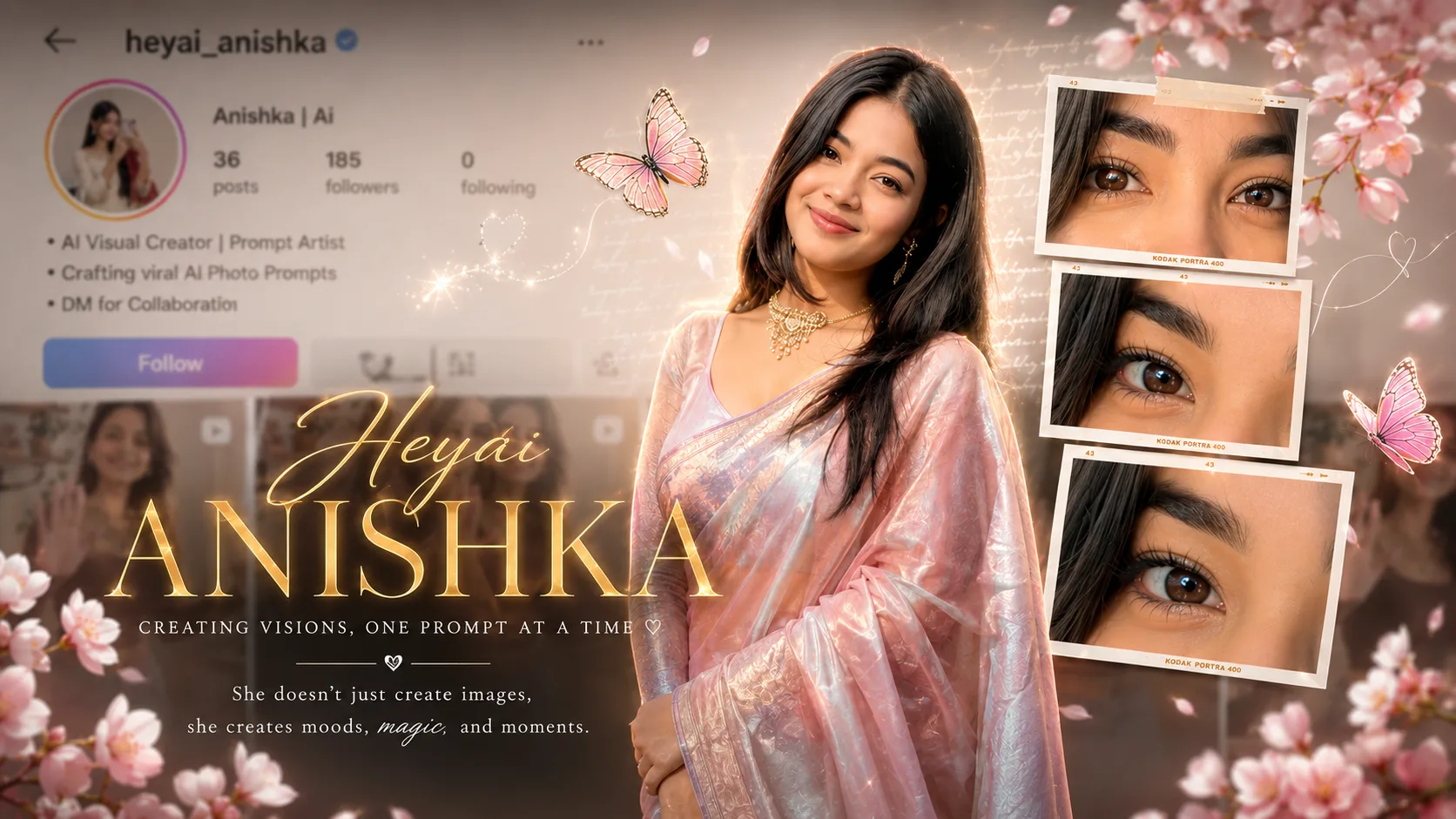
There is something special about those AI photos that look like they belong on a creative Instagram profile. They are not just normal portraits. They combine your photo with your Instagram profile, small eye close-ups, flowers, butterflies, film frames, and stylish typography to create one complete visual story.
The Instagram AI Profile Collage Photo Trend is one such style. It turns a simple portrait into an aesthetic social media poster where your profile appears in the background and your main photo becomes the center of attention.
The soft pink tones, cherry blossoms, butterflies, film-style photo frames, and golden text give the whole image a dreamy and premium look. And you don't need to design everything manually in Photoshop. With your own photo and a good prompt, you can try creating a similar look with ChatGPT or Google Gemini.
What is the Instagram AI Profile Collage Trend?
This AI photo trend combines an Instagram-style profile page with a fashion portrait and creative photography elements.
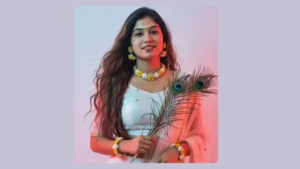
The main subject is usually placed in the center wearing an elegant outfit, while the background shows a blurred social media profile. Around the portrait, AI can add close-up shots of the eyes, film negatives, flowers, butterflies, handwritten notes, and other decorative elements.
The result looks more like a personal magazine cover or an Instagram creator poster than a regular photo.
What Makes This AI Photo Trend Look So Beautiful?
The small details make the biggest difference.
A soft pastel background keeps the image gentle, while the flowers and butterflies add a dreamy touch. The film frames around the eyes make the portrait feel like a professional photography project.
Golden typography can also be added to give the image a luxury editorial feel.
The important thing is not to add too many random elements. Everything should feel connected to the main portrait.
How to Create an Instagram AI Collage Photo with ChatGPT
First, choose a clear portrait where your face and hairstyle are visible.
Upload the photo to ChatGPT and describe the type of Instagram collage you want. You can ask the AI to create the profile background, portrait layout, decorative elements, and photography frames around your image.
For the best result, use an original photo rather than one that has already been heavily edited.
If your first result changes your face, simply ask ChatGPT to keep your facial features and identity closer to the uploaded reference.
Create the Same Style with Google Gemini
You can also try this trend with Google Gemini.
Upload your reference photo and use a detailed prompt describing the Instagram profile background, central portrait, flowers, butterflies, eye close-ups, film frames, and typography.
You may need a few attempts to get the exact layout you want. AI-generated text can sometimes contain mistakes, so you can also add the final name or quote separately using Canva, Photoshop, or another editing app.
Instagram AI Profile Collage Photo Prompt
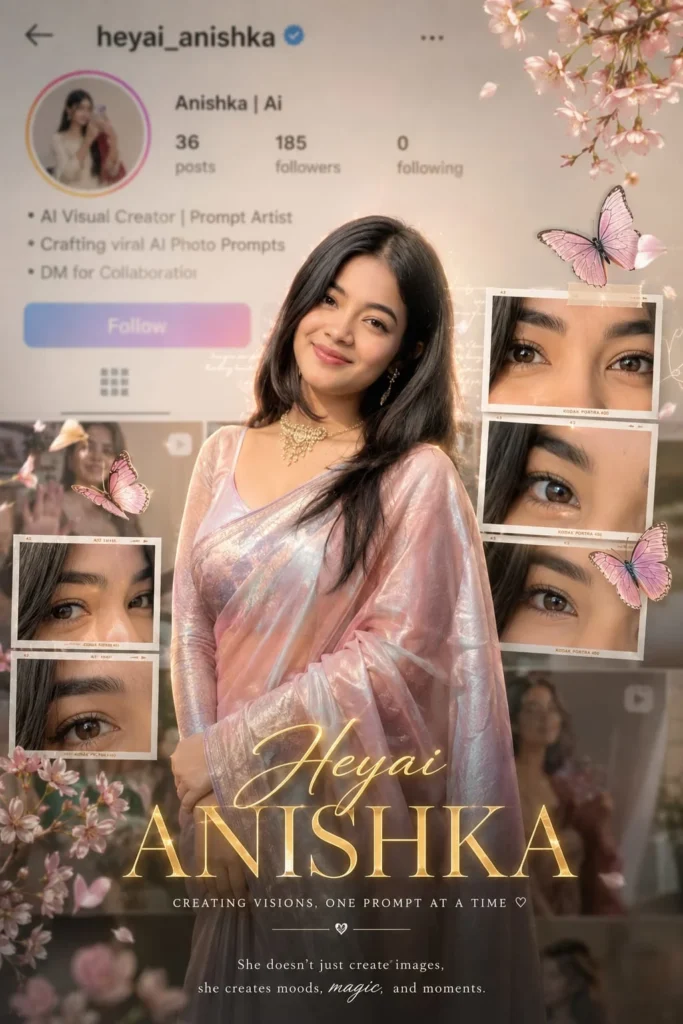
Add Your Own Name and Instagram Profile
One of the nicest things about this trend is that you can personalize almost everything.
You can replace the profile name with your own Instagram username and add a short bio that matches your personality.
For example:
AI Visual Creator | Prompt Artist
Creating beautiful AI photo concepts
Turning ideas into visuals ✨
You can also add your own creator name in large golden text at the bottom.
Try Different Photo Themes
You don't have to copy the exact pink aesthetic every time.
You can create different versions depending on your style:
- 🌸 Pink aesthetic – cherry blossoms, butterflies and soft pastel tones
- 🖤 Dark aesthetic – black background, silver typography and dramatic lighting
- 🤎 Vintage aesthetic – warm brown tones and old film frames
- 💙 Blue aesthetic – cool lighting, clouds and dreamy photography
- 💜 Lavender aesthetic – purple flowers and soft cinematic lighting
- 🌿 Nature aesthetic – leaves, flowers and natural sunlight
The same basic concept can be reused with completely different moods.
How to Make the AI Photo Look More Real
A common problem with AI collage images is that everything can look too perfect.
Adding small imperfections can actually make the image feel more like a real photograph.
Ask the AI to include natural hair strands, realistic skin texture, slightly imperfect film frames, soft shadows, natural fabric folds, and subtle depth of field.
Also keep the Instagram interface slightly blurred. If it is too sharp, it can compete with the main portrait.
Where Can You Use This AI Photo?
This type of image works particularly well for social media.
You can use it as:
- Instagram profile or post artwork
- Instagram Story
- WhatsApp Status
- Pinterest post
- Creator introduction post
- AI artist portfolio
- Personal branding poster
- YouTube community post
- Birthday or special-day creative
A 4:5 version works especially well for Instagram feed posts, while a 9:16 version is better for Stories and Status.
Final Words
The Instagram AI Profile Collage trend is more than just putting a portrait over a background. It combines your identity, social media profile, photography, and small creative details into one image.
The central portrait should remain the main focus, while the Instagram profile, eye close-ups, film frames, flowers, butterflies, and typography work together around it.
With a clear photo and the right prompt, you can create your own version in just a few minutes. Try different colors, outfits, flowers, and typography styles until you find a look that feels like your own.
Frequently Asked Questions
What is an Instagram AI Profile Collage Photo?
It is an AI-generated creative poster that combines a person's portrait with an Instagram-style profile, photography frames, decorative elements, and stylish typography.
Can I create this AI photo using my own picture?
Yes. Upload a clear portrait and use a detailed prompt describing the collage style you want.
Can I use ChatGPT to create this trend?
Yes, if image generation or image editing is available in your ChatGPT experience, you can upload your photo and provide the prompt.
Can I create this photo in Google Gemini?
Yes. You can upload your reference image and try the same concept with a detailed prompt.
What photo works best for this trend?
A clear portrait with good lighting and a visible face works best. Avoid heavily filtered or extremely blurry photos.
What size should I use for Instagram?
A 4:5 vertical image is a good choice for an Instagram feed post, while 9:16 works better for Instagram Stories and WhatsApp Status.



![Download Quality Stock Wallpapers [FHD+] For Samsung Galaxy F54 High](https://techupkar.com/wp-content/uploads/2023/06/Download-Quality-Stock-Wallpapers-300x169.jpg)
Leave a Reply