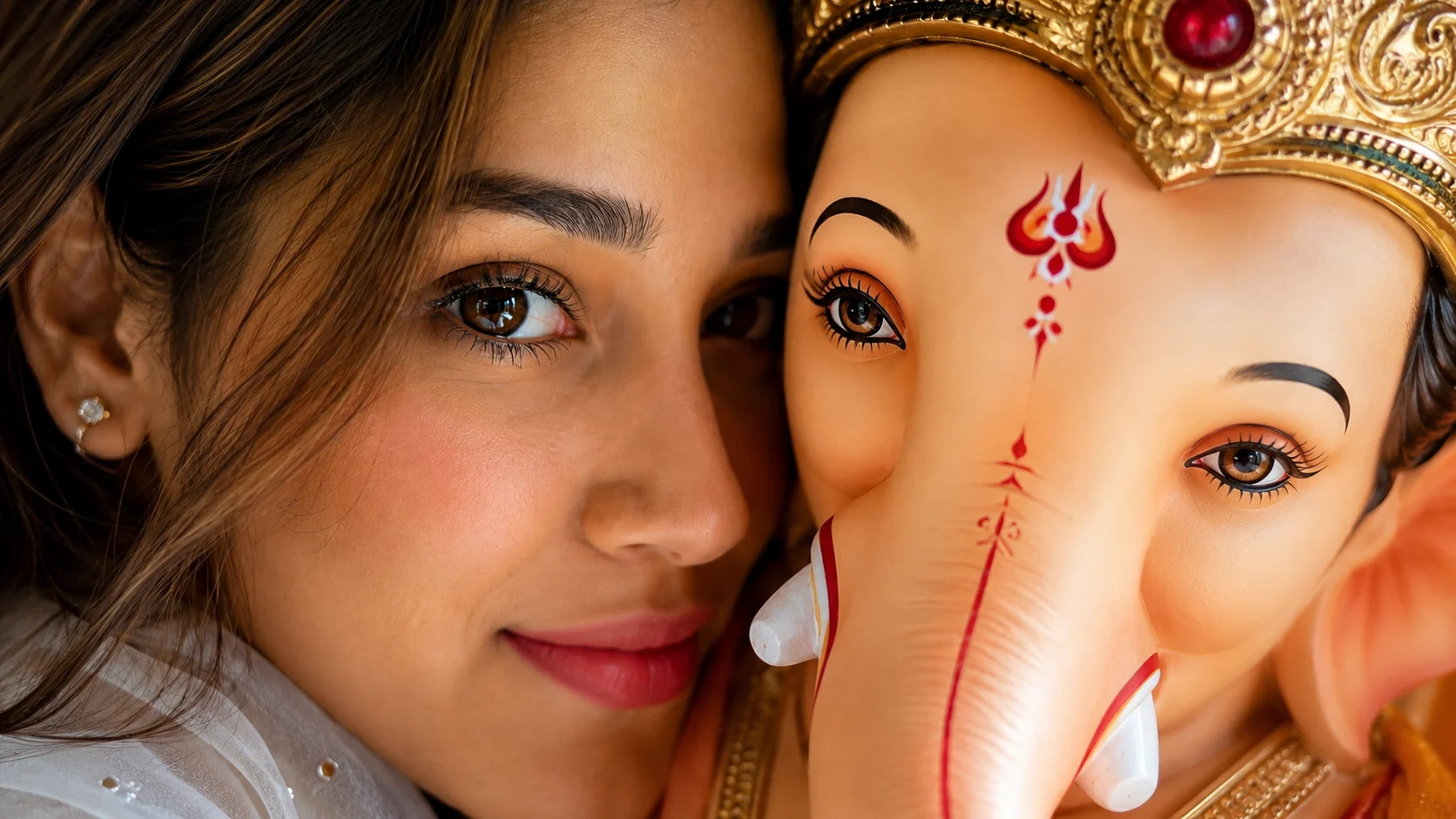
Every Ganesh Chaturthi, social media is filled with devotional photos. Some people post pictures from temples, while others share photos with beautifully decorated Ganpati idols. But this year, one AI photo style is catching everyone's attention. It's called the Ganpati Close-Up AI Photo.
Unlike regular devotional edits, this trend creates an emotional close-up where your face is gently placed beside Lord Ganesha's idol. The focus isn't on fancy backgrounds or dramatic effects. Instead, it captures a peaceful moment that feels personal, spiritual, and full of devotion.
The best part is that you don't need professional editing skills. With a clear selfie and the right AI prompt, you can create this beautiful portrait using ChatGPT or Google Gemini.
What is the Ganpati Close-Up AI Photo Trend?
The Ganpati Close-Up AI Trend is a devotional photo editing style that creates an intimate portrait with Lord Ganesha.
The image usually shows one half of your face and one half of the Ganpati idol placed closely together. Both eyes remain in sharp focus, while the rest of the image softly fades into the background. Fresh flowers, golden ornaments, and natural lighting make the portrait feel warm and realistic.
Instead of looking like digital artwork, the final image feels like a real photograph taken during Ganesh Chaturthi.
Why Is Everyone Sharing This Style?
Most Ganesh Chaturthi edits focus on large decorations or colorful backgrounds.
This trend is different because it highlights the emotional connection between the devotee and Lord Ganesha. The close framing, peaceful expression, and detailed idol create a photo that instantly stands out on Instagram, WhatsApp, and Facebook.
Many people are also using it as their display picture during the festival.
How to Create a Ganpati Close-Up AI Photo
Creating this devotional portrait is very simple.
Method 1: Using ChatGPT
Choose a clear portrait where your face is properly visible. Upload it to ChatGPT and paste the prompt below.
Ask AI to preserve your facial features exactly while creating the devotional scene.
Method 2: Using Google Gemini
You can also create the same style with Google Gemini.
Upload your original photo, paste the prompt, and generate the portrait. For the best results, use an unfiltered photo with good lighting.
Ganpati Close-Up AI Photo Prompt
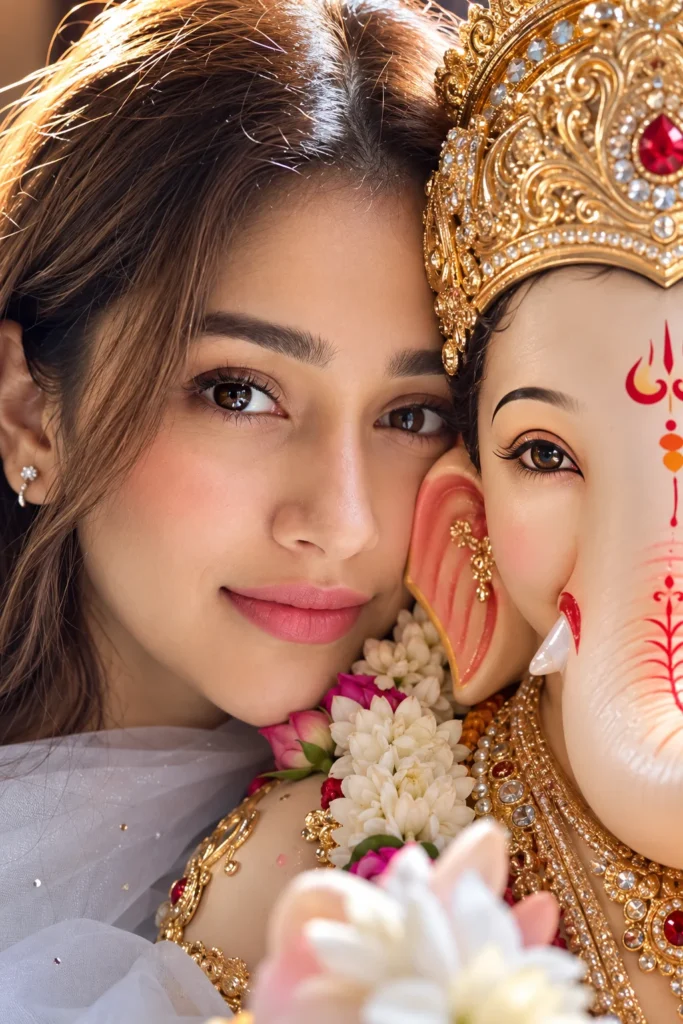
✨ AI PROMPTCreate a photorealistic color photo in a vertical 9:16 format, extreme close-up. **STRICT HUMAN FACE & IDENTITY LOCK — HIGHEST PRIORITY:** Use the uploaded reference image as the **only reference for the human face**. Preserve the human face **100% exactly as shown in the reference image**. Do not change, regenerate, beautify, reshape, replace, stylize, or modify the person’s identity, facial structure, proportions, eyes, eyebrows, nose, lips, cheeks, jawline, skin tone, hairstyle, or any distinctive facial features. The human must remain immediately recognizable as the exact same person from the uploaded reference image. Combine the **exact human face from the uploaded reference image** and **my Ganpati idol's face** equally in the same frame, with both faces pressed closely together in an intimate, emotional pose. Keep one human eye and one Ganpati eye perfectly aligned and centered, both in sharp focus. The frame should be tightly filled with the faces, with the background barely visible. Maintain realistic human skin texture and authentic Ganpati idol textures, colors, materials, and details. **Do not alter, redesign, deform, beautify, or reinterpret the original Ganpati idol's appearance.** Preserve its exact facial features, eyes, proportions, colors, ornaments, and distinctive details. Use soft natural studio lighting, warm natural colors, no filters, no artificial beauty effects, and no stylization. Keep the image ultra-realistic, highly detailed, and photographically authentic, with a shallow depth of field and a natural, emotional feel. **FINAL IDENTITY REQUIREMENT:** The human face must remain **100% identical to the uploaded reference image**, and the Ganpati idol must remain **100% faithful to the uploaded/reference idol image**. Do not introduce any new facial features or visual changes. Only create the requested close-up composition and positioning.
Small Details Make the Photo Feel Real
This style looks best when it stays simple.
The lighting should be soft instead of overly bright. Your face and Lord Ganesha's face should touch naturally without looking edited. The flowers should appear fresh, and the jewelry should have realistic shine without becoming distracting.
Most importantly, your expression should remain calm and peaceful. A gentle smile works much better than an exaggerated pose.
Can Boys and Girls Both Create This Photo?
Yes.
This AI prompt works for everyone. You can wear traditional clothes like a kurta, saree, salwar suit, or even simple festive outfits. Since the portrait is an extreme close-up, the main focus remains on your face and Lord Ganesha rather than your clothing.
Where Can You Use This AI Photo?
The vertical version is perfect for WhatsApp Status, Instagram Stories, Facebook Stories, and Reels. You can also create a square version for your profile picture or use it as a festive post during Ganesh Chaturthi.
Many people also print these portraits as devotional keepsakes or use them as wallpapers during the festival.
Final Words
The Ganpati Close-Up AI Photo isn't about creating a flashy festival edit. Its beauty comes from the emotional connection between the devotee and Lord Ganesha.
With a clear reference photo and the right AI prompt, you can create a portrait that feels peaceful, realistic, and full of devotion. Sometimes, the simplest photos become the most meaningful memories.
Frequently Asked Questions
What is the Ganpati Close-Up AI Photo Trend?
It is an AI photo editing style that creates a close-up devotional portrait beside Lord Ganesha while preserving your real face.
Can I use my own photo?
Yes. Upload a clear portrait, and AI will keep your facial features while creating the devotional scene.
Can I create this image using ChatGPT?
Yes. Simply upload your photo and use the prompt to generate the portrait.
Does this prompt work with Google Gemini?
Yes. You can also use the same prompt with Google Gemini. The results may vary slightly depending on the AI model.
Will AI change my face?
No. The prompt instructs AI to preserve your facial features, hairstyle, skin tone, and expression while only creating the devotional composition.
Where can I use this photo?
You can use it as your WhatsApp DP, Instagram post, Facebook profile picture, Ganesh Chaturthi greeting, wallpaper, or social media story.





Leave a Reply