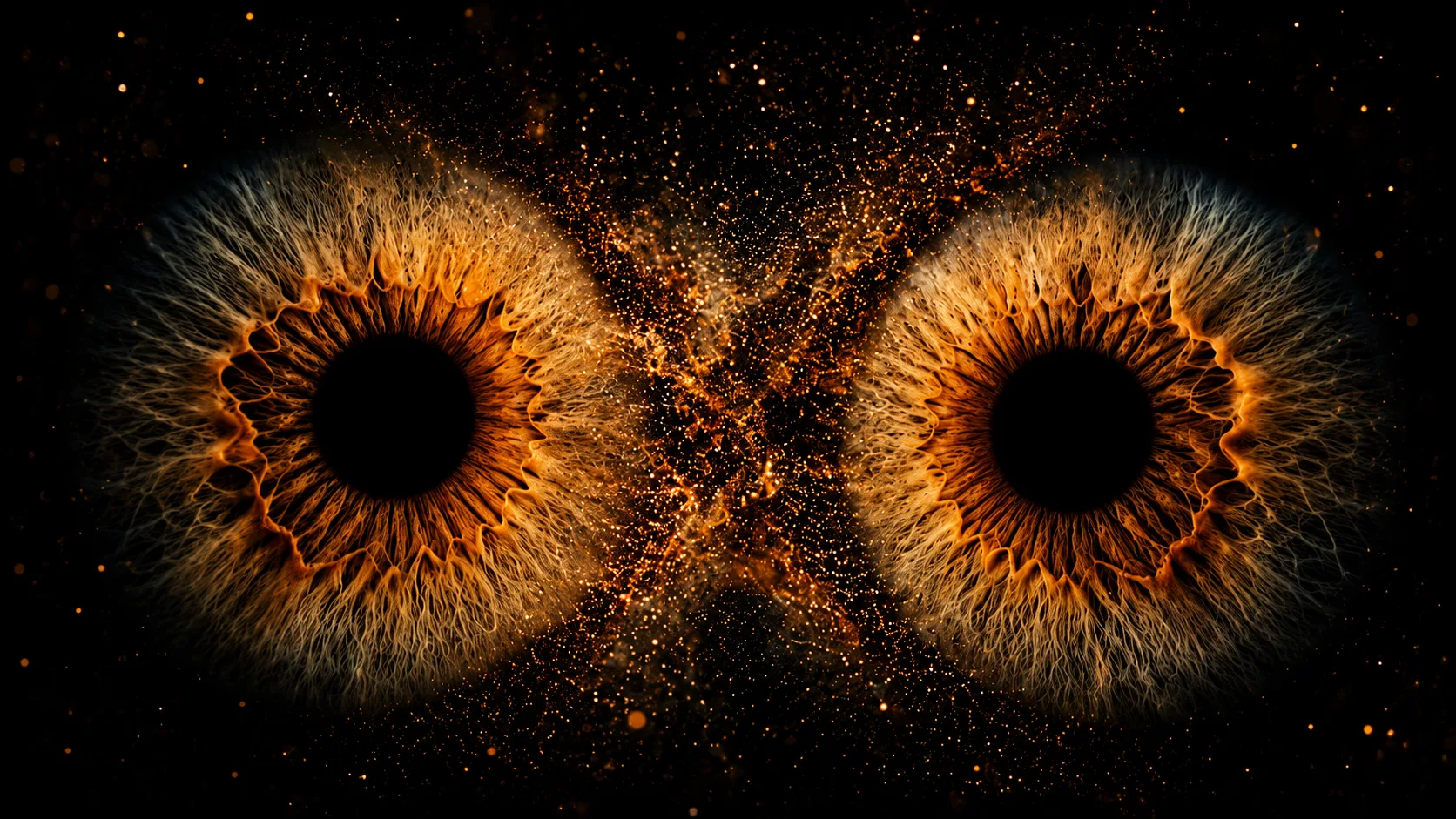
Some AI images don't need people, luxury cars, or dramatic landscapes to grab attention. Sometimes, a single close-up of a pair of eyes is enough to leave people staring at the screen.
That's exactly why the Cosmic Eyes AI Trend is becoming popular. Instead of creating a normal eye photo, AI transforms the iris into glowing golden patterns surrounded by tiny particles that look like stars floating through space.
The result feels mysterious, artistic, and almost impossible to look away from.
What is the Cosmic Eyes AI Trend?
The Cosmic Eyes AI Trend is a digital art style that focuses entirely on the eyes. The image is cropped so closely that nothing else competes for attention.
The iris is filled with rich golden textures, while glowing particles and light dust flow between both eyes, creating the illusion of a tiny galaxy.
Although the image looks futuristic, the realistic eye details make it feel believable at the same time.
Why Is This Style Going Viral?
Most AI portraits focus on the whole face, but this trend takes a different approach.
It highlights one of the most expressive parts of the human body—the eyes.
The glowing iris, dark background, and floating golden particles create a dramatic contrast that instantly catches attention. That's why these images are often used as wallpapers, social media posts, profile pictures, and digital artwork.
How to Create a Cosmic Eyes Image
You can generate this style using popular AI image tools.
Method 1: Using ChatGPT
Upload a clear, front-facing photo where both eyes are visible. Paste the prompt below and ask ChatGPT to create an extreme close-up while preserving your natural eye shape.
Method 2: Using Google Gemini
Google Gemini can also recreate this effect. Upload your image, paste the prompt, and let AI transform your eyes into a glowing cosmic masterpiece.
Cosmic Eyes AI Prompt
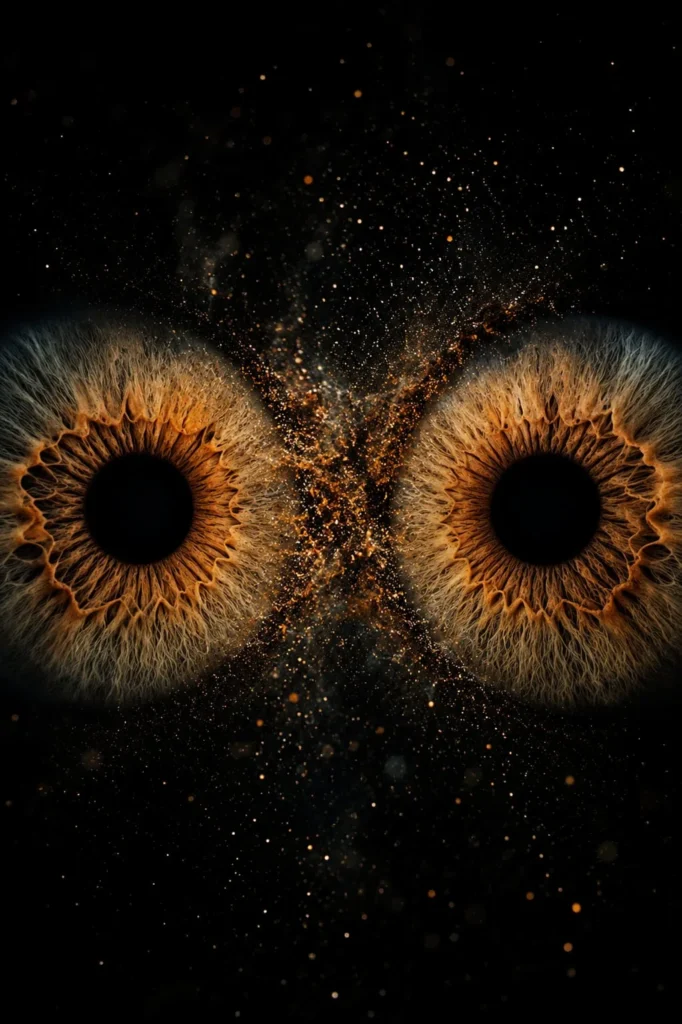
Small Details Make a Big Difference
The beauty of this trend comes from tiny details.
Fine iris patterns, realistic reflections, soft glowing particles, and a dark background all work together to create the final look. If the particles become too large or the glow becomes too bright, the image can quickly lose its realistic feel.
Keeping the balance between realism and fantasy is what makes this style so eye-catching.
Best Ways to Use This Image
This type of artwork looks great as:
- Mobile wallpaper
- Lock screen
- Instagram post
- YouTube thumbnail
- Digital artwork
- Desktop wallpaper
- Profile picture
Because of its dramatic appearance, it also works well for creative projects and graphic design.
Final Thoughts
The Cosmic Eyes AI Trend proves that even the smallest details can create the biggest impact. By focusing only on the eyes and adding subtle cosmic effects, AI turns an ordinary portrait into a striking piece of digital art.
If you're looking for something different from traditional AI portraits, this trend is definitely worth trying.
Frequently Asked Questions (FAQ)
1. What is the Cosmic Eyes AI Trend?
It's an AI art style that transforms ordinary eyes into glowing galaxy-inspired artwork with golden textures and floating cosmic particles.
2. Can I create this image using ChatGPT?
Yes. Upload a clear photo showing both eyes and use the prompt to generate the effect.
3. Does the prompt work with Google Gemini?
Yes. You can use the same prompt with Google Gemini to create a similar cosmic eye portrait.
4. Will AI change my eye shape?
No. The prompt specifically asks AI to preserve your natural eye shape while only enhancing the iris with artistic effects.
5. Can I use different eye colors?
Absolutely. You can replace the golden effect with blue, green, purple, silver, emerald, or any other color to create a unique version.
6. Where can I use this AI artwork?
It's perfect for wallpapers, profile pictures, social media posts, YouTube thumbnails, digital art collections, and creative design projects.












Leave a Reply