Creating AI images with ChatGPT becomes much easier when you know how to give the right instructions. You don't always need to write a long prompt from the beginning. Simple command-style instructions can help you quickly tell ChatGPT what kind of image you want.
For example, commands like /HDREAL, /CINEMATIC, or /PORTRAIT can be used as shortcuts while creating an image prompt.
These are not official ChatGPT commands. They are simple prompt shortcuts that you can use to organize your instructions.
Here are 20 useful AI image commands you can try.
1. /HDREAL
If you want a realistic and high-quality photo, use /HDREAL.
Example:
/HDREAL Create a realistic portrait of a young man standing outdoors during sunset.
This works well for portraits, travel photos and social media images.
2. /CINEMATIC
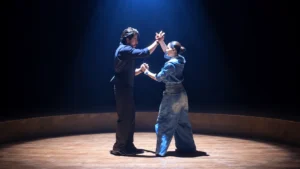
Use /CINEMATIC when you want your image to have a movie-like look.
/CINEMATIC Create a couple standing on a rooftop at sunset with dramatic lighting.
It is useful for emotional, romantic and dramatic photos.
3. /PORTRAIT
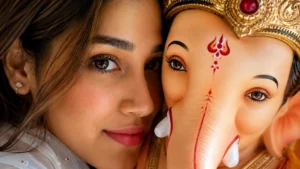
The /PORTRAIT command is useful when the person should be the main focus of the image.
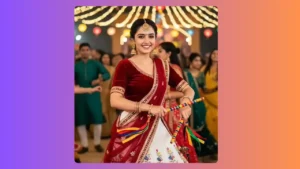
/PORTRAIT Create a natural portrait of a young Indian woman wearing a saree.
You can also add lighting and background details to make the result better.
4. /DSLR
Want the image to look like it was captured with a professional camera? Try /DSLR.
/DSLR Create a realistic outdoor portrait with natural skin texture and background blur.
5. /IPHONE
Use /IPHONE when you want a more natural smartphone photography look.
/IPHONE Create a candid photo of two friends walking through a city street.
This can be useful when you don't want the image to look overly polished.
6. /GOLDENHOUR
Use /GOLDENHOUR for warm sunlight during sunrise or sunset.
/GOLDENHOUR Create a portrait of a woman standing near a lake with warm sunlight on her face.
The command works especially well for outdoor portraits.
7. /MOODY
For dark and emotional images, /MOODY can be useful.
/MOODY Create a lonely person standing near a window on a rainy evening.
You can combine it with /CINEMATIC for a stronger effect.
8. /NATURAL
If you want the photo to look simple and less artificial, use /NATURAL.
/NATURAL Create a casual photo of a couple sitting in a café.
This is useful for everyday-looking photos.
9. /FACELOCK
When editing a reference image, /FACELOCK can be used to clearly tell the AI that the person's appearance should remain consistent.
/FACELOCK Keep the person's facial features, hairstyle and overall appearance consistent with the uploaded reference image.
It is useful when changing the background, clothing or pose.
10. /FULLBODY
Use /FULLBODY when you want the complete person visible in the frame.
/FULLBODY Create a realistic fashion photo of a man standing beside a car.
You can also mention the camera angle and background.
11. /CLOSEUP
For detailed face shots, use /CLOSEUP.
/CLOSEUP Create a realistic close-up portrait with natural skin texture and detailed eyes.
This works well for profile photos and beauty portraits.
12. /BOKEH
Use /BOKEH when you want the background to appear softly blurred.
/BOKEH Create a portrait of a woman in a garden with soft blurred lights in the background.
It gives the image a photography-style depth effect.
13. /VINTAGE
Want an old-camera or retro appearance? Use /VINTAGE.
/VINTAGE Create a couple's photo with an old film photography look and soft colors.
You can also add /FILM for a stronger film-style appearance.
14. /BLACKWHITE
Use /BLACKWHITE to create a black-and-white photography style.
/BLACKWHITE Create a cinematic portrait of a man standing beside a car at night.
This style works particularly well with portraits and emotional photos.
15. /DREAMY
For soft, beautiful and slightly dreamy images, try /DREAMY.
/DREAMY Create a portrait of a woman surrounded by flowers in soft evening light.
You can combine it with /GOLDENHOUR for a warm look.
16. /9X16
Use /9X16 when creating a vertical image for Instagram Stories, Reels or WhatsApp Status.
/9X16 Create a cinematic travel photo of a couple standing near the mountains.
This helps define the composition for vertical content.
17. /16X9
Use /16X9 for landscape images, especially YouTube thumbnails.
/16X9 Create a dramatic YouTube thumbnail about AI photo editing.
You can add the subject, background and text requirements separately.
18. /3D
If you want a 3D-style image, use /3D.
/3D Create a detailed 3D character standing inside a modern room.
This is useful for characters, product concepts and creative artwork.
19. /ANIME
Use /ANIME when you want an anime-inspired visual style.
/ANIME Create an anime-style portrait of a young man standing under cherry blossom trees.
You can change the character, background and mood according to your idea.
20. /THUMBNAIL
Use /THUMBNAIL when creating an image specifically for YouTube or another video platform.
/THUMBNAIL Create a professional 16:9 YouTube thumbnail about the latest AI photo editing trend.
You can also combine it with /HDREAL and /CINEMATIC.
How to Use These Commands Properly
You don't have to use only one command. You can combine a few commands that match your idea.
For example:
/HDREAL /CINEMATIC /PORTRAIT /GOLDENHOUR
Then write:
Create a young Indian woman standing beside a lake wearing a simple saree, looking toward the camera with a natural smile.
For an Instagram image, you can use:
/HDREAL /NATURAL /BOKEH /9X16
And for a YouTube thumbnail:
/HDREAL /CINEMATIC /THUMBNAIL /16X9
The important thing is not to add random commands. Choose only the ones that match the image you are trying to create.
Final Thoughts
These 20 AI image commands for ChatGPT can make image prompting easier, especially if you regularly create portraits, social media photos, thumbnails or cinematic images.
Just remember that the command alone is not enough. For better results, also describe the subject, pose, clothes, background, lighting, camera angle and image size you want.
A simple command combined with a clear description can give ChatGPT much better direction and help you create the image you have in mind.





Leave a Reply