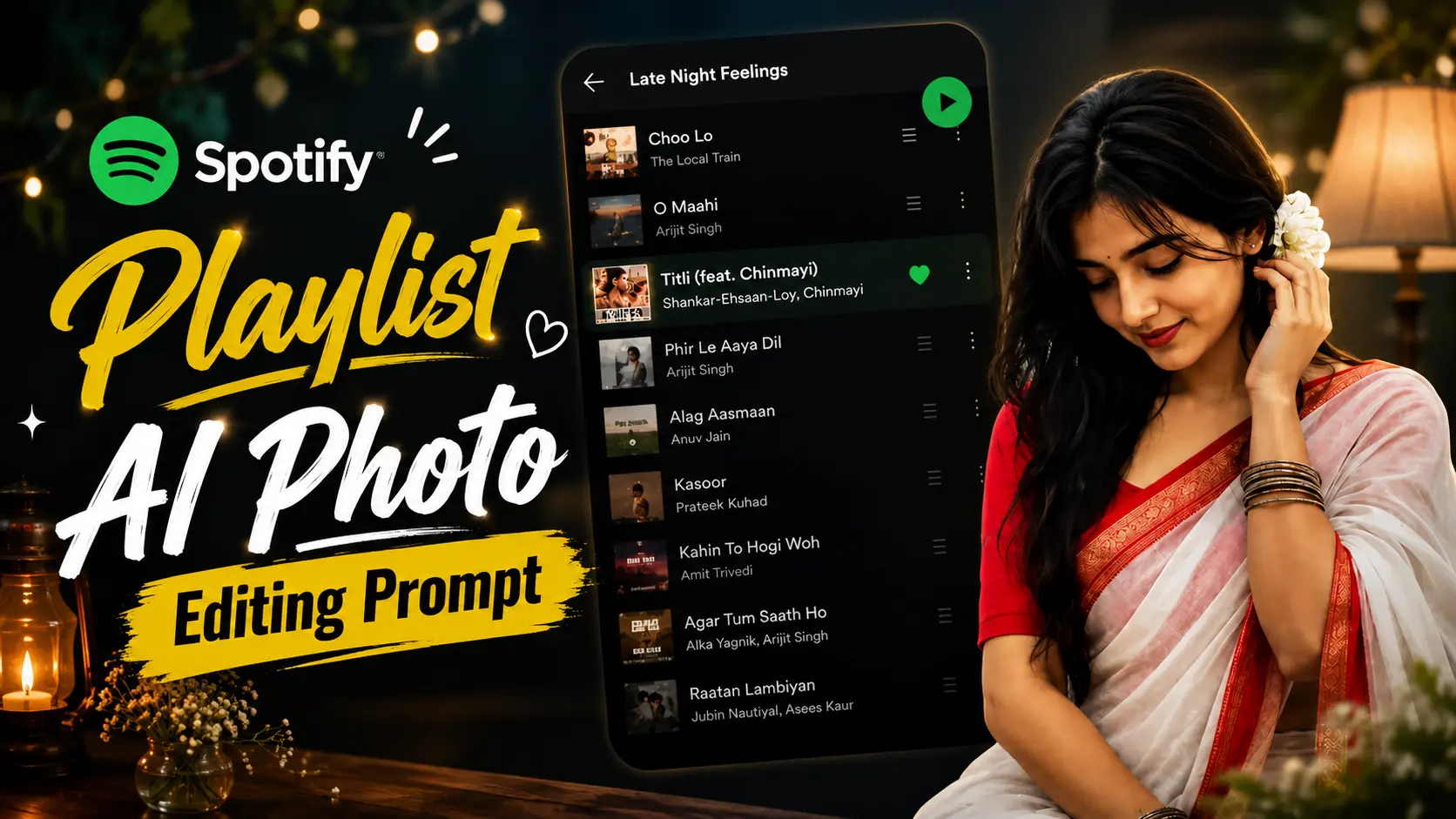
Have you ever seen a photo that instantly gives you calm, late-night music vibes? A person standing in front of a Spotify playlist, soft lighting on the face, and a clean aesthetic look. These photos are becoming a huge trend on Instagram, and it's easy to see why.
The interesting part is that most of these images aren't edited by professional designers. They're created using AI. With the right prompt, ChatGPT or Google Gemini can turn your normal picture into a beautiful Spotify-inspired portrait within minutes.
Whether you love romantic songs, lo-fi beats, or late-night playlists, this editing style makes your photo feel more personal and artistic. That's why thousands of people are using it for their Instagram posts, profile pictures, and WhatsApp DP.
What is the Spotify Playlist AI Photo Trend?
The Spotify Playlist AI Photo Trend is a popular editing style where your photo is placed in front of a blurred Spotify playlist screen. AI keeps your face exactly the same while adding a dark music-themed background, soft lighting, and a clean outline around your body.
The final image looks like an album cover or a premium social media post, making it perfect for music lovers.
Why Are People Loving This Trend?
Music and memories always go together. That's exactly what makes this trend special. Instead of using a simple background, the Spotify playlist adds an emotional touch to the photo.
Many users also customize the playlist with their favorite songs, making every image feel unique. The combination of a dark background and natural portrait lighting creates a clean and premium look without making the edit feel fake.
How to Create a Spotify Playlist AI Photo
The process is much easier than you might think. You don't need Photoshop or any editing skills.
Method 1: Using ChatGPT
Open ChatGPT and upload your photo. Copy the AI prompt below and paste it into the chat. In a few moments, ChatGPT will generate a Spotify-inspired portrait with a realistic playlist background.
Method 2: Using Google Gemini
You can also use Google Gemini for the same effect. Simply upload your picture, paste the prompt, and let Gemini create the final image. Once it's ready, download it and share it on Instagram or WhatsApp.
Spotify Playlist AI Prompt
Copy the prompt below and use it in ChatGPT or Google Gemini.
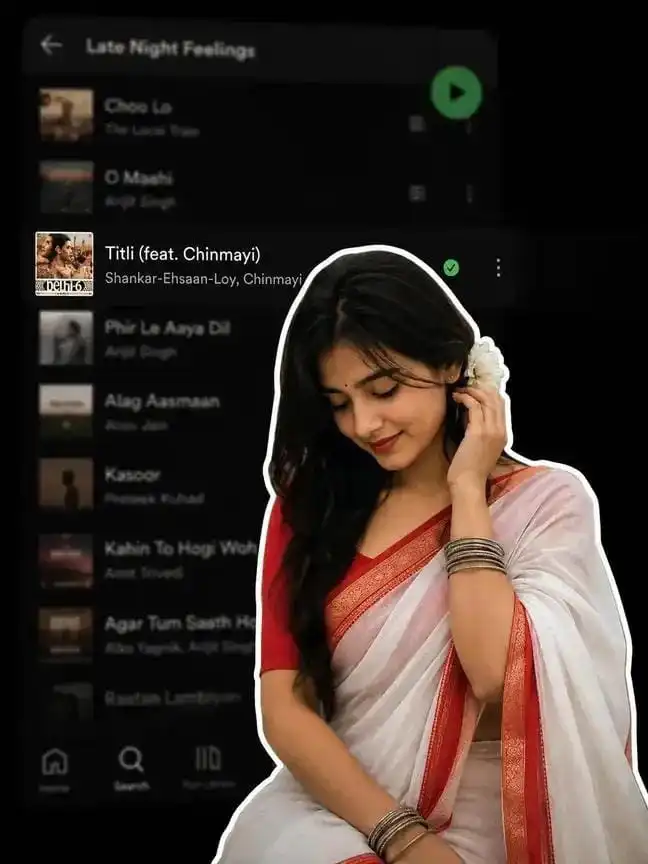
✨ AI PROMPTA digital collage style image. In the foreground, a young South Asian woman is cut out with a thick white sticker-like outline. She is wearing a traditional white saree with a red border, a red blouse, and silver bangles, with a white flower tucked into her long dark hair. She is looking downwards with a soft, serene expression, gently touching her hair near her ear. The background is a heavily blurred, dark-mode screenshot of a mobile music streaming app playlist.
Tips for the Best Result
A few simple things can make your final image look even better.
- Choose a clear portrait with good lighting.
- Avoid blurry or low-quality photos.
- Keep your face fully visible.
- Don't use heavily filtered images.
- Use high-resolution photos for sharper results.
Final Thoughts
If you enjoy music and love aesthetic social media photos, this AI trend is definitely worth trying. It gives your picture a stylish and emotional look without spending hours editing.
Just upload your photo, use the prompt, and let AI create a beautiful Spotify playlist portrait that looks ready for Instagram.
Frequently Asked Questions (FAQ)
1. What is the Spotify Playlist AI Photo Trend?
It is an AI editing trend that places your portrait in front of a realistic Spotify playlist while keeping your face and identity unchanged.
2. Can I create this photo using ChatGPT?
Yes. Upload your image, paste the prompt, and ChatGPT can generate a Spotify-inspired portrait.
3. Does this prompt work with Google Gemini?
Yes. Google Gemini also supports AI image generation and editing, so you can use the same prompt there.
4. Will AI change my face or clothes?
No. The prompt is designed to preserve your face, hairstyle, skin tone, clothing, and overall identity while only changing the background and lighting.
5. Can I choose my favorite Spotify playlist?
Yes. You can mention your favorite playlist or song in the prompt to make the image feel more personal.
6. Where can I use this AI photo?
You can use it as your Instagram post, profile picture, WhatsApp DP, Facebook profile, Pinterest pin, or even as wallpaper.












Leave a Reply