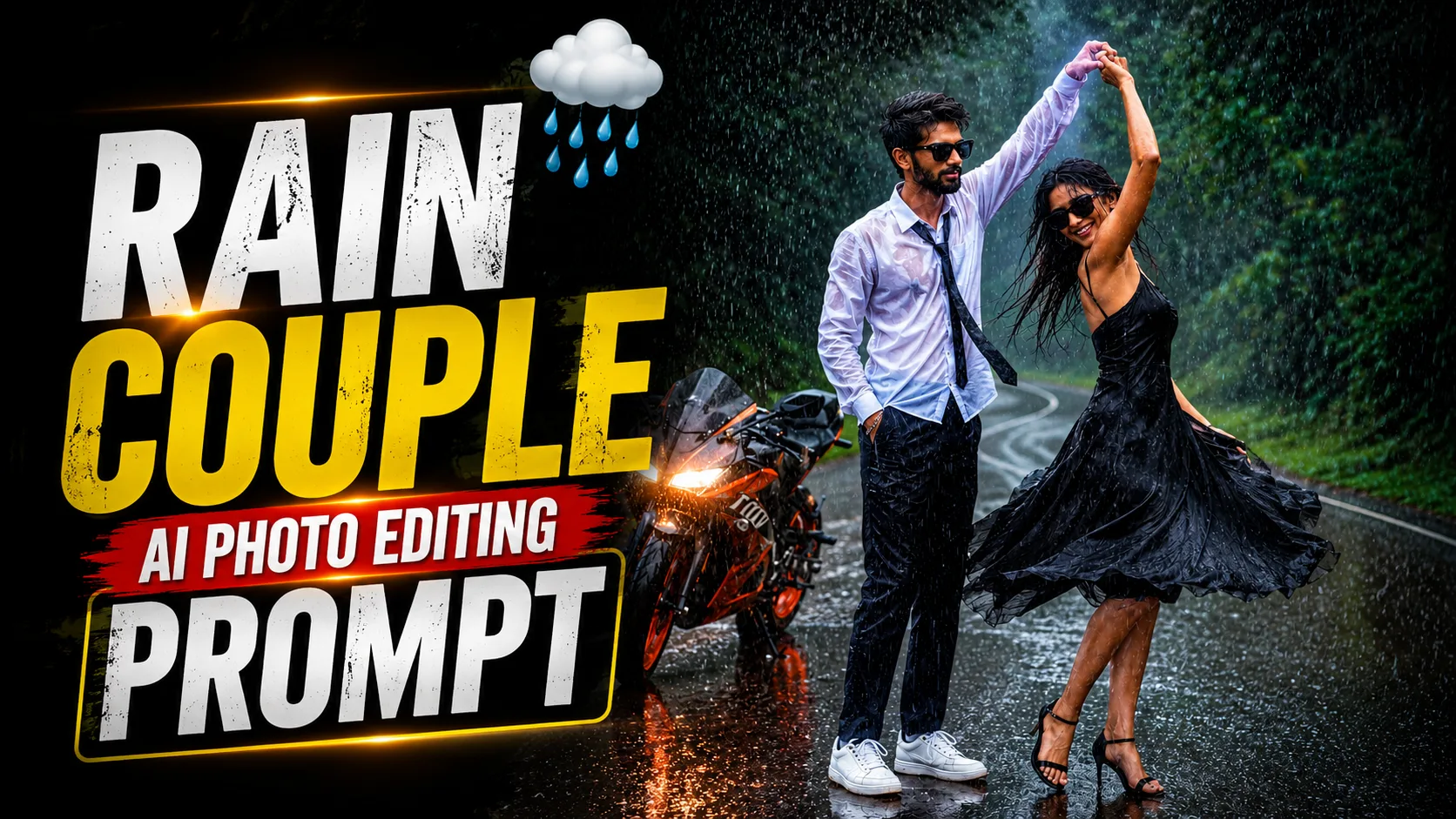
Rain has a unique way of making ordinary moments feel unforgettable. A simple walk on a quiet road, a shared smile, or a playful dance in the rain can turn into a beautiful memory. That's one of the reasons why rain-themed photography has become so popular in recent years.
Now, with the help of AI photo editing, creating these cinematic moments is easier than ever. Instead of waiting for the perfect weather or arranging an expensive outdoor photoshoot, you can recreate the same atmosphere using a detailed AI prompt.
The Rain Couple AI Photo Editing Prompt is designed for people who love romantic photography with a cinematic touch. It transforms an ordinary image into a realistic rain scene filled with dramatic lighting, lush green surroundings, reflections on wet roads, and natural rainfall effects while keeping the overall image realistic.
Whether you're creating content for Instagram, Facebook, Pinterest, YouTube, or simply making a special photo for yourself, this prompt can help you create a professional-looking result in just a few minutes.
What Is the Rain Couple AI Photo Editing Prompt?
The Rain Couple AI Photo Editing Prompt is a detailed set of instructions that tells an AI image generator how to create a romantic outdoor scene in heavy rain.
Instead of applying simple filters or changing colors, the prompt builds an entirely cinematic atmosphere. It adds realistic rainfall, natural reflections, soft lighting, and a beautiful forest environment while maintaining the overall realism of the image.
When written properly, the prompt creates a photo that looks like it was captured during a professional movie shoot rather than generated by AI.
Why Is Rain Photography So Popular?
Rain photography has always had a timeless appeal. The combination of falling rain, glowing reflections, and soft natural light creates a mood that is difficult to achieve in normal daylight photos.
Many photographers choose rainy weather because it adds movement, emotion, and depth to every frame.
This is why rain-inspired AI edits have become a favorite choice for creators who want something different from traditional portraits.
They are widely used for:
- Instagram posts
- Couple portraits
- Facebook cover photos
- Pinterest inspiration
- YouTube thumbnails
- Romantic wallpapers
- Social media profile pictures
A well-designed rain scene naturally attracts attention without looking over-edited.
What Can This Prompt Create?
This AI photo editing prompt can generate:
- Romantic rain couple portraits
- Cinematic forest backgrounds
- Realistic rainfall effects
- Wet road reflections
- Professional DSLR photography look
- Natural skin texture
- Dramatic cinematic lighting
- High-resolution portrait quality
- Realistic color grading
- Social media-ready images
The final result feels natural, emotional, and professionally photographed.
How to Use This Prompt?
Creating a cinematic rain portrait is simple.
Step 1: Upload Your Photo
Open ChatGPT, Google Gemini, or your preferred AI image editing platform and upload your image.
Step 2: Copy the Prompt
Copy the complete Rain Couple AI Photo Editing Prompt.
Step 3: Paste the Prompt
Paste the prompt together with your uploaded image.
Step 4: Generate the Image
Allow the AI tool to process the prompt and create the cinematic rain effect.
Step 5: Download the Result
Once the image is generated, review the result and download the version you like most.
Rain Couple AI Photo Editing Prompt
Use the prompt given below and upload your image to generate a realistic cinematic rain portrait with natural rainfall, lush green scenery, dramatic lighting, and professional DSLR photography effects.
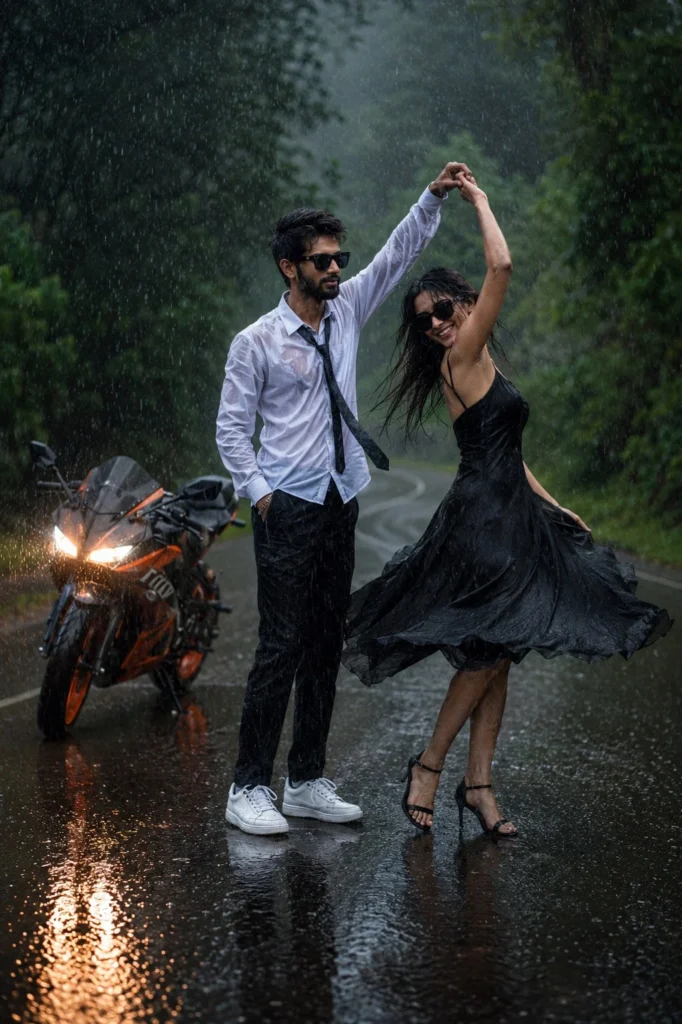
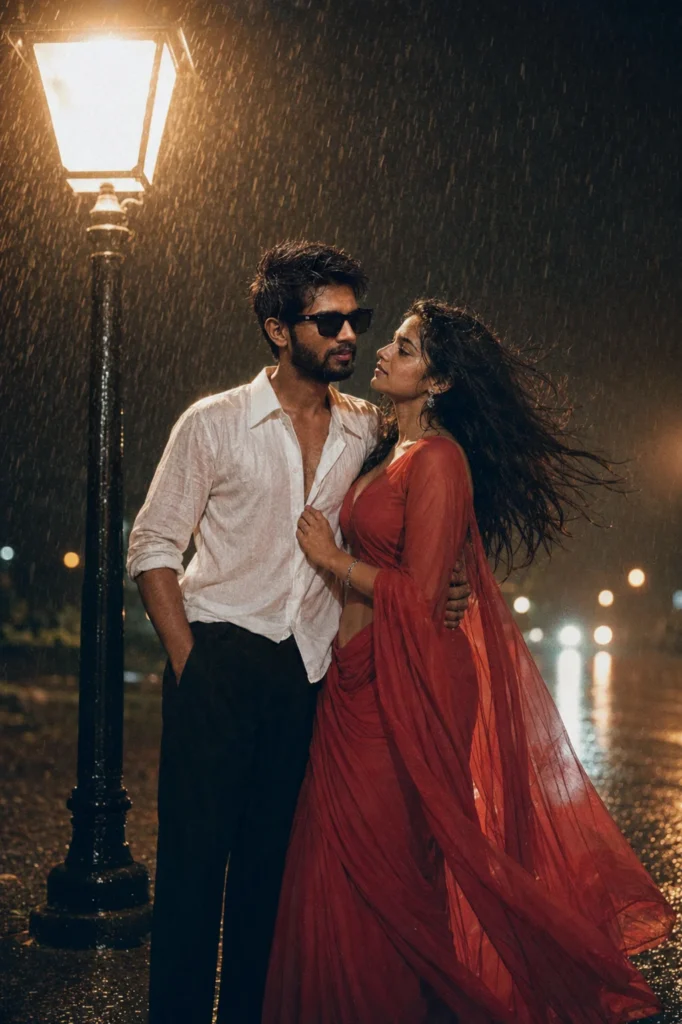
Tips for Better Results
The quality of the final image depends largely on the photo you upload.
For the best outcome:
- Use a high-resolution image.
- Upload a clear photo with good lighting.
- Avoid heavily filtered pictures.
- Use the complete prompt without removing important details.
- Include realistic photography instructions for lighting, rain, and camera effects.
These small details can make a significant difference in the final image.
Frequently Asked Questions
Are Rain Couple AI Photo Editing Prompts Free?
Yes. Most AI photo editing prompts are free to use. Some AI image generation platforms may offer premium plans for higher-resolution images and additional editing features.
Can I Use This Prompt in ChatGPT?
Yes. ChatGPT supports AI image generation and editing features that allow you to upload a photo and apply detailed prompts for creating realistic cinematic images.
Can I Use This Prompt in Google Gemini?
Yes. Google Gemini can also create realistic rain-themed images using detailed AI photo editing prompts.
Will the AI Keep My Face the Same?
That depends on the prompt you use. If your prompt includes detailed face preservation instructions, many AI tools can maintain your facial features while changing the surrounding environment.
Is This Prompt Good for Social Media?
Absolutely. The cinematic rain style works beautifully for Instagram posts, Facebook photos, Pinterest boards, YouTube thumbnails, and profile pictures.
Can Beginners Use This Prompt?
Yes. No editing experience is required. Simply upload your image, paste the prompt, and let the AI create the final result.
Final Thoughts
Rain photography has a timeless charm that never goes out of style. With the Rain Couple AI Photo Editing Prompt, you can recreate that same cinematic feeling without waiting for rainy weather or arranging a professional photoshoot.
Whether you're creating romantic memories, eye-catching social media content, or simply exploring creative AI photography, this prompt offers an easy way to transform an ordinary photo into a beautiful rain-inspired masterpiece using ChatGPT, Google Gemini, or your favorite AI image editing tool.




Leave a Reply