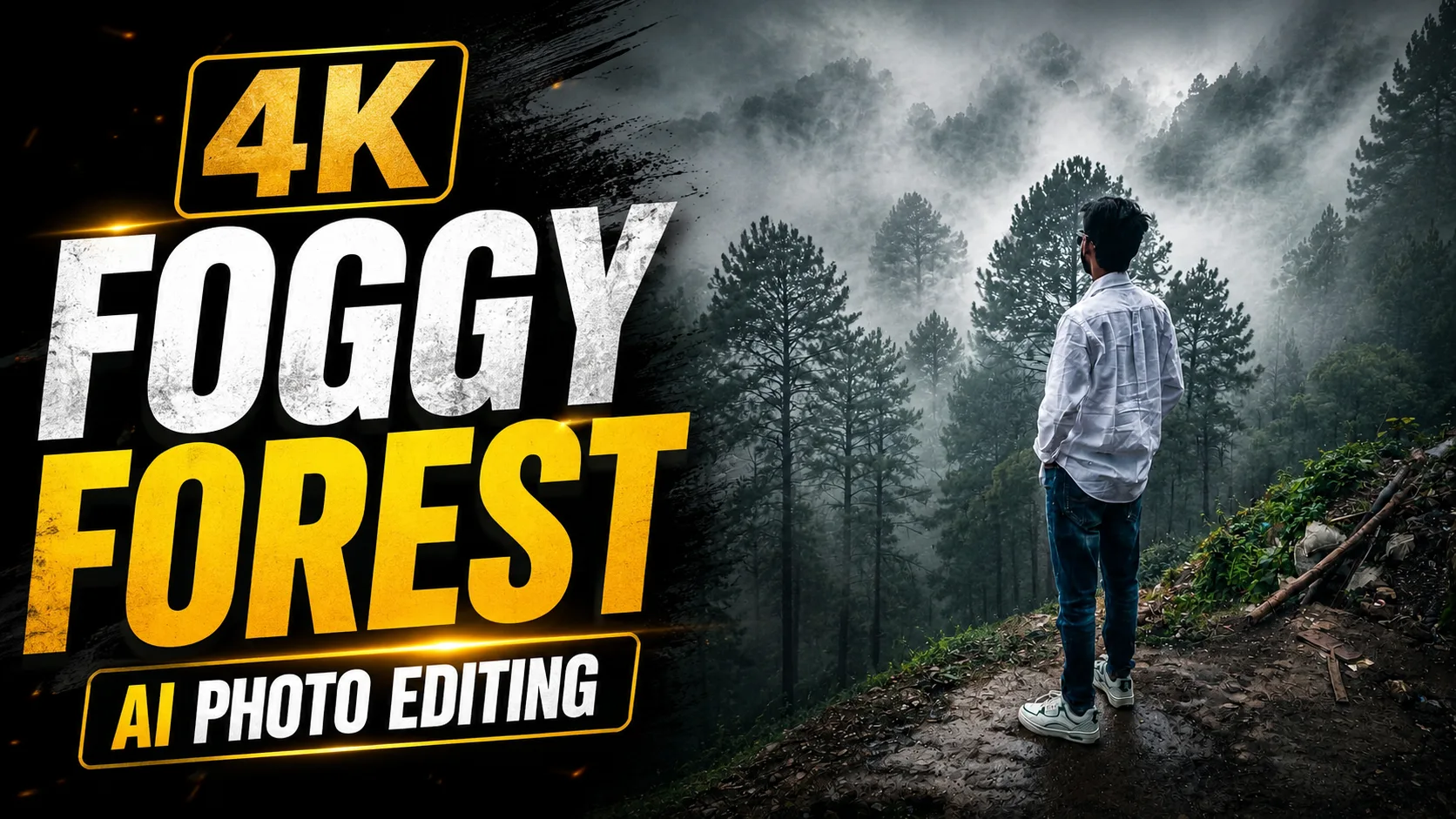
Nature-inspired AI photos are becoming one of the biggest trends on social media. Instead of creating ordinary edits, many creators now prefer cinematic images that look peaceful, mysterious, and professionally captured.
One editing style that has recently become popular is the Foggy Forest AI Photo trend. This style transforms an ordinary image into a breathtaking forest scene covered with dense white fog, soft sunlight, and rich green color tones.
The final image often looks like a premium DSLR photograph captured during a cold winter morning inside an enchanted forest.
The best part is that you don't need advanced editing skills to create these images. With tools like ChatGPT, Google Gemini, and other AI image generators, you can create realistic cinematic forest photos within minutes by using a detailed prompt.
Whether you're creating content for Instagram, YouTube, Pinterest, wallpapers, or personal projects, this prompt can help you generate stunning results.
What Is the Foggy Forest AI Photo Editing Prompt?
The Foggy Forest AI Photo Editing Prompt is a detailed instruction that tells an AI tool how to transform an image into a realistic forest landscape.
Instead of drastically changing the entire image, the prompt focuses on enhancing the environment and adding cinematic elements.
The prompt can create:
- Dense natural fog
- Rich green forest tones
- Volumetric light rays
- DSLR photography effects
- Atmospheric depth
- HDR enhancements
- Professional color grading
- Ultra-HD quality
When all these elements are combined, the final image looks realistic rather than artificially generated.
Why Is This Editing Style Trending?
People are moving toward calm and aesthetic content.
Images with fog, forests, and natural lighting often create a peaceful and emotional feeling. This is one of the reasons why nature-inspired edits are becoming extremely popular on social media platforms.
Many creators use this style because it instantly gives ordinary photos a premium appearance.
This editing style is especially popular for:
- Instagram posts
- Pinterest images
- YouTube thumbnails
- Wallpapers
- Travel content
- Nature photography pages
- Social media branding
The realistic forest atmosphere helps make the image stand out.
What Can This Prompt Create?
This AI photo editing prompt can generate:
- Dense fog weather effects
- Cinematic forest photography
- Enchanted woodland scenery
- Professional DSLR-style images
- Realistic light rays
- Ultra-HD 4K quality
- HDR enhancements
- Natural color grading
- Atmospheric depth
- Social media-ready visuals
The result often looks like a professionally captured landscape photograph.
How to Use This Prompt?
Using the prompt is simple.
Step 1: Upload Your Image
Open ChatGPT, Google Gemini, or your preferred AI image editing platform and upload the image you want to transform.
Step 2: Copy the Prompt
Copy the complete Foggy Forest AI Photo Editing Prompt.
Step 3: Paste the Prompt
Paste the prompt together with your uploaded image.
Step 4: Generate the Image
Allow the AI tool to process the image and apply the cinematic forest effects.
Step 5: Download the Result
Review the generated image and download the version you prefer.
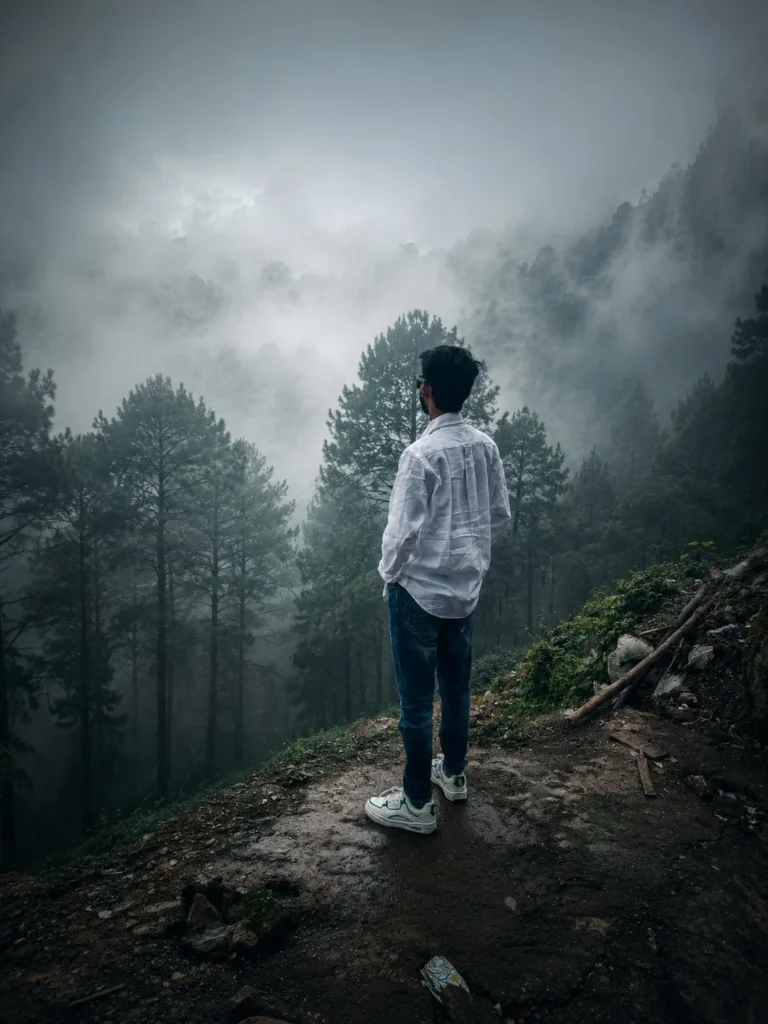
Foggy Forest AI Photo Editing Prompt
Use the prompt given below and upload your image to generate a realistic foggy forest scene with cinematic lighting, ultra-HD quality, and professional DSLR photography effects.
Why Are Nature-Themed AI Photos So Popular?
Nature photography has always been popular because it creates a sense of calmness.
When cinematic effects are added, the image becomes even more immersive.
Many creators prefer forest-inspired edits because they look elegant without appearing overly edited.
Professional photographers also use similar techniques, including:
- Soft lighting
- Natural color harmony
- Balanced shadows
- Atmospheric depth
- HDR photography
These small details help create realistic images.
Frequently Asked Questions
Are AI Photo Editing Prompts Free?
Yes. Most AI photo editing prompts are completely free to use. Some AI image generation platforms may require a premium subscription for higher-quality image outputs.
Can I Use This Prompt in ChatGPT?
Yes. ChatGPT supports AI image generation and image editing features that allow users to create realistic cinematic images using detailed prompts.
Can I Use This Prompt in Google Gemini?
Yes. Google Gemini can also generate realistic forest scenes and cinematic images using detailed AI prompts.
How Do I Make AI Photos Look More Realistic?
Use high-quality source images and include detailed instructions about lighting, textures, shadows, colors, and depth.
Is This Prompt Good for Instagram and Pinterest?
Absolutely. This editing style is perfect for Instagram posts, Pinterest content, wallpapers, and social media visuals.
Can Beginners Use This Prompt?
Yes. AI photo editing prompts are beginner-friendly. Simply upload your image, paste the prompt, and let the AI create the final result.
Final Thoughts
The Foggy Forest AI Photo Editing Prompt is a great way to transform ordinary photos into professional-looking nature masterpieces. The combination of dense fog, realistic lighting, rich green tones, and cinematic effects creates a peaceful and immersive atmosphere.
Whether you're creating social media content, wallpapers, travel photos, or creative projects, this prompt can help you generate beautiful and realistic forest scenes within minutes using ChatGPT, Google Gemini, and other AI image generation tools.








Leave a Reply