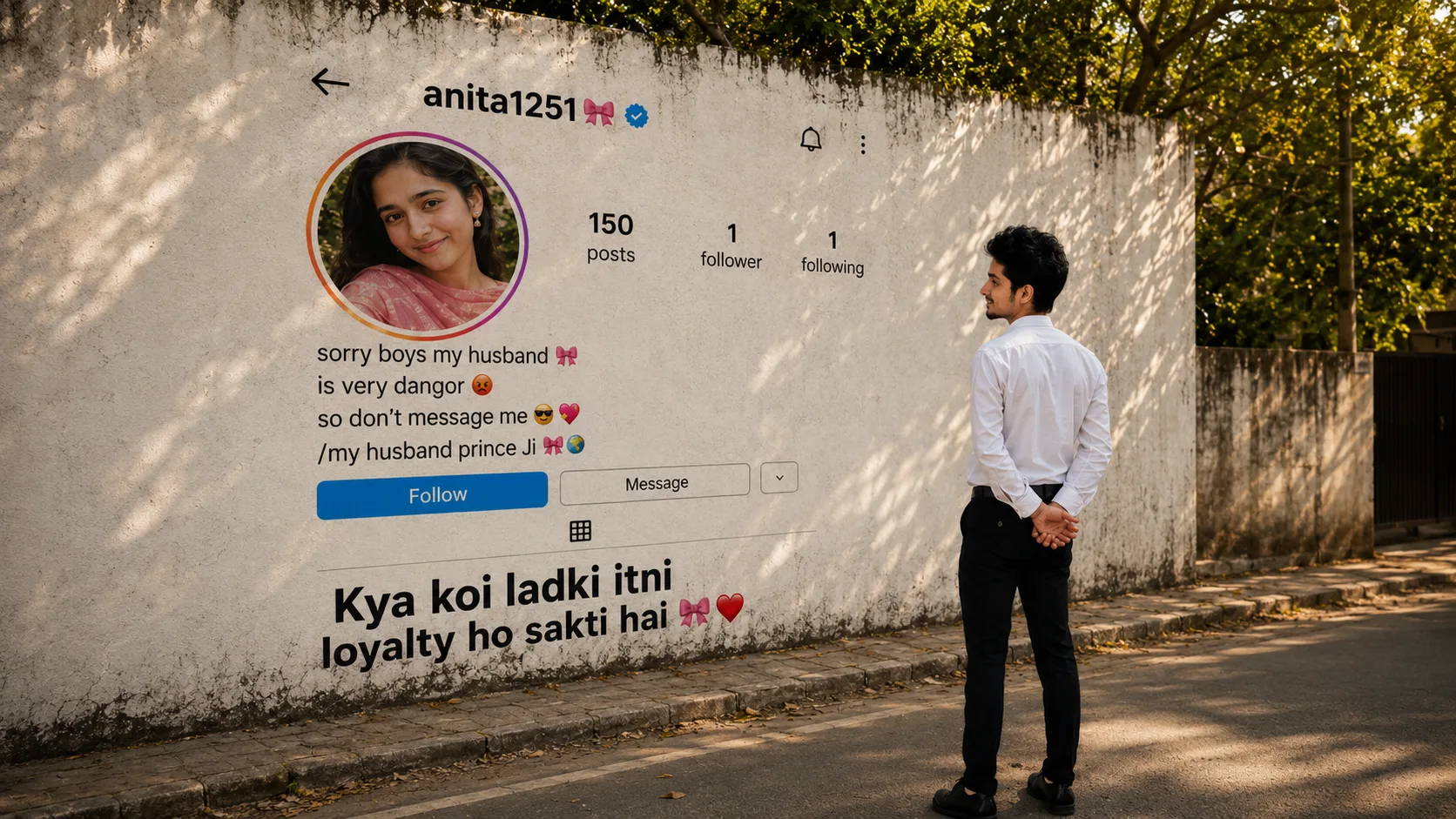
Imagine walking down a quiet street and suddenly seeing a huge Instagram profile printed on a wall. Instead of looking at your phone, you're standing right in front of your favorite person's profile, reading their bio, checking their profile picture, and smiling. Sounds impossible? Not anymore.
The Instagram Profile Wall AI Photo is one of the newest AI editing trends that's getting attention on Instagram and Reels. The concept is simple but creative. AI transforms a normal street wall into a giant Instagram profile, while you stand in front of it as if you're admiring someone's account in real life.
It's unique, funny, and definitely different from regular AI edits.
What is the Instagram Profile Wall AI Trend?
This AI trend creates a realistic outdoor scene where a large concrete wall becomes an oversized Instagram profile page.
The profile includes everything you'd normally see on Instagram profile picture, username, bio, follower count, buttons, and posts. Meanwhile, the person stands a few feet away, looking at the giant profile with a natural pose.
The result feels like a creative street art installation rather than a normal AI photo.
Why Is This Trend Going Viral?
Most AI edits focus on changing backgrounds or adding cinematic lighting. This trend takes a completely different approach.
Instead of editing the person, it changes the environment around them. That's why people stop scrolling when they see it.
Many users are customizing the profile with funny bios, best friend's account, partner's profile, or even their own Instagram page. Every image feels personal, making the trend even more popular.
How to Create an Instagram Profile Wall AI Photo
Creating this photo doesn't require Photoshop or advanced editing skills.
Method 1: Using ChatGPT
Upload your photo and tell ChatGPT whose Instagram profile you want on the wall. Paste the prompt below and let AI generate the complete scene.
Method 2: Using Google Gemini
You can also use Google Gemini. Upload your reference photo, paste the same prompt, and describe the profile details you want. AI will generate a realistic street-style Instagram wall image.
Instagram Profile Wall AI Prompt
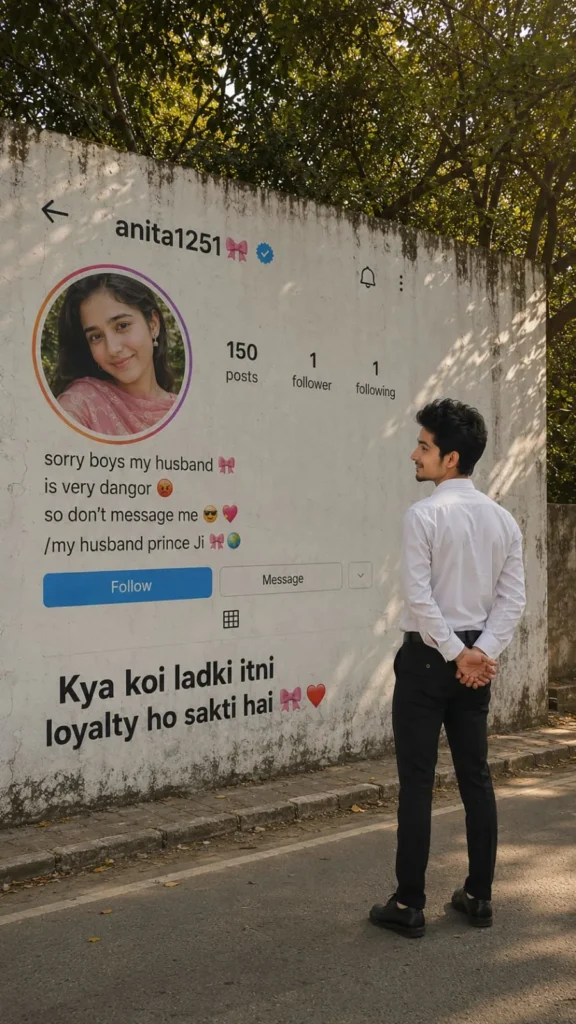
Make the Profile Personal
This trend becomes much more interesting when the profile isn't generic.
You can replace the username with your best friend, your partner, your own account, or even create a funny fictional profile. Changing the bio, profile picture, and follower count makes every image feel different.
Just remember to use content you have permission to use if you're including someone else's photo or profile details.
Tips for Better Results
Before generating your image, keep these simple tips in mind.
- Upload a clear, high-quality photo.
- Use a standing pose for the most natural result.
- Keep the background simple if possible.
- Customize the Instagram profile instead of leaving default details.
- Use realistic lighting for a more believable final image.
Final Thoughts
The Instagram Profile Wall AI Trend proves that AI editing isn't just about changing your appearance. Sometimes, a creative idea is enough to make an ordinary photo go viral.
Whether you create the wall using your own profile, your friend's account, or a fun fictional page, the result is guaranteed to stand out on Instagram.
If you're looking for something different from the usual portrait edits, this trend is definitely worth trying.
Frequently Asked Questions (FAQ)
1. What is the Instagram Profile Wall AI Trend?
It's an AI photo editing trend where a giant Instagram profile appears on a wall while the person stands in front of it like they're viewing it in real life.
2. Can I create this image using ChatGPT?
Yes. Upload your reference photo, customize the prompt with your preferred profile details, and ChatGPT can generate the scene.
3. Does this prompt work with Google Gemini?
Yes. You can use the same prompt with Google Gemini and adjust the profile information as needed.
4. Can I use my own Instagram profile?
Absolutely. Many people use their own profile to create a personalized version of this AI edit.
5. Can I replace the profile with my friend's account?
Yes, but make sure you have permission if you're using someone else's photo or personal details.
6. Where can I share this AI photo?
The final image is perfect for Instagram posts, Reels covers, WhatsApp Status, Facebook, Pinterest, or as a creative social media post.












Leave a Reply